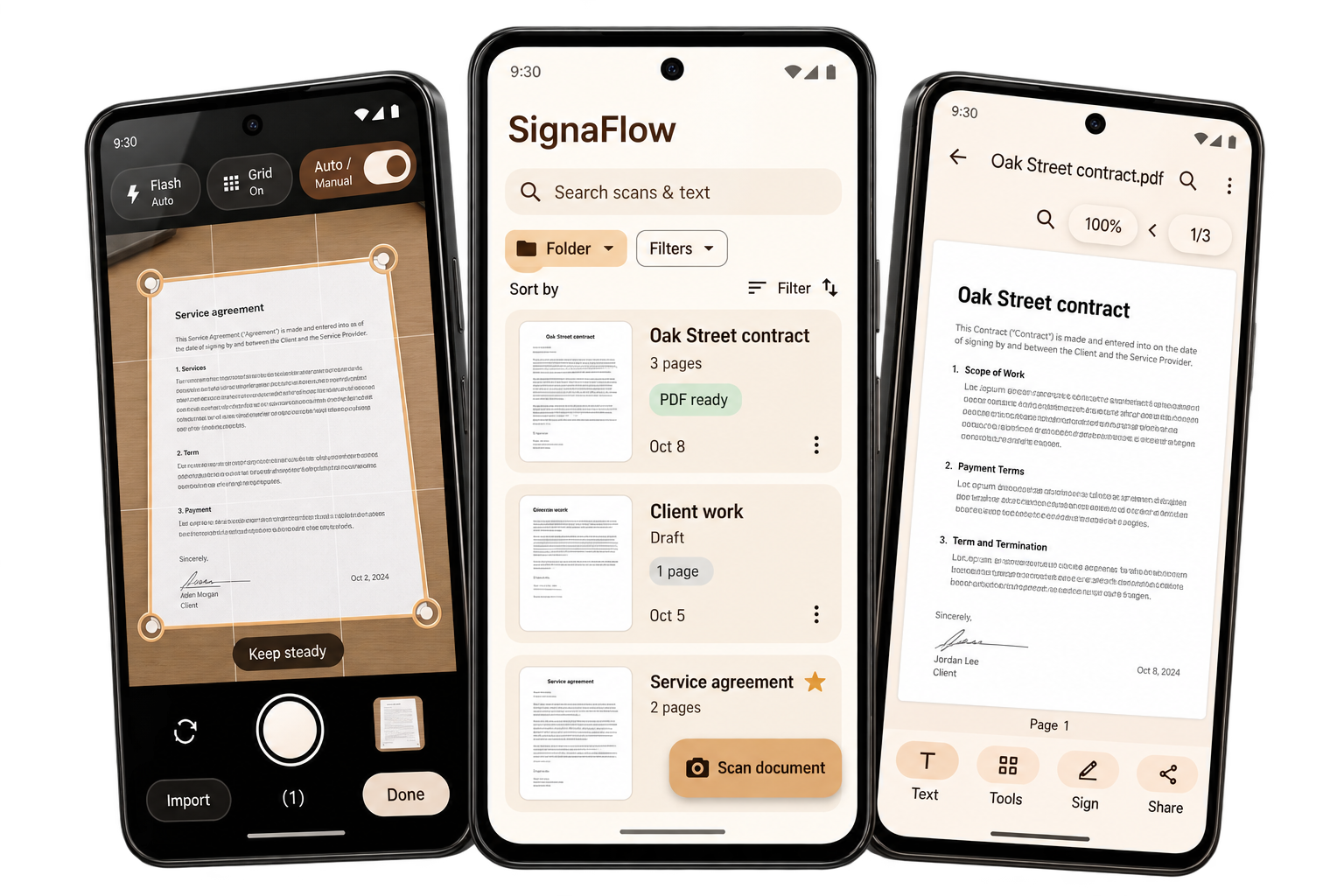
Your local library
Documents, drafts, folders and favorites—all part of your Android workflow.
SIGNAFLOW FOR ANDROID
Scan, clean, search and share—all from your phone. Meet a calmer home for your documents, with on-device OCR and optional backups to your own Google Drive.
Preparing for Android launch · By Zeblofar Technology
 Scan to PDF Search your text
TAKE A LOOK INSIDE
Choose a feature to see how SignaFlow brings the next step within reach.
01 / SCAN & CLEAN
Capture a page, review a batch and adjust the crop. Cleanup filters help make your document easier to read.
PROJECT AGREEMENT · SAMPLE DOCUMENT
This agreement brings the details into focus. A clear copy, ready whenever you need it.
Keep your notes, receipts and important pages together. Find the right words without sorting through the whole stack.
Payment due within 30 days.
SignaFlow design preview · Sample content
02 / FIND & COPY TEXT
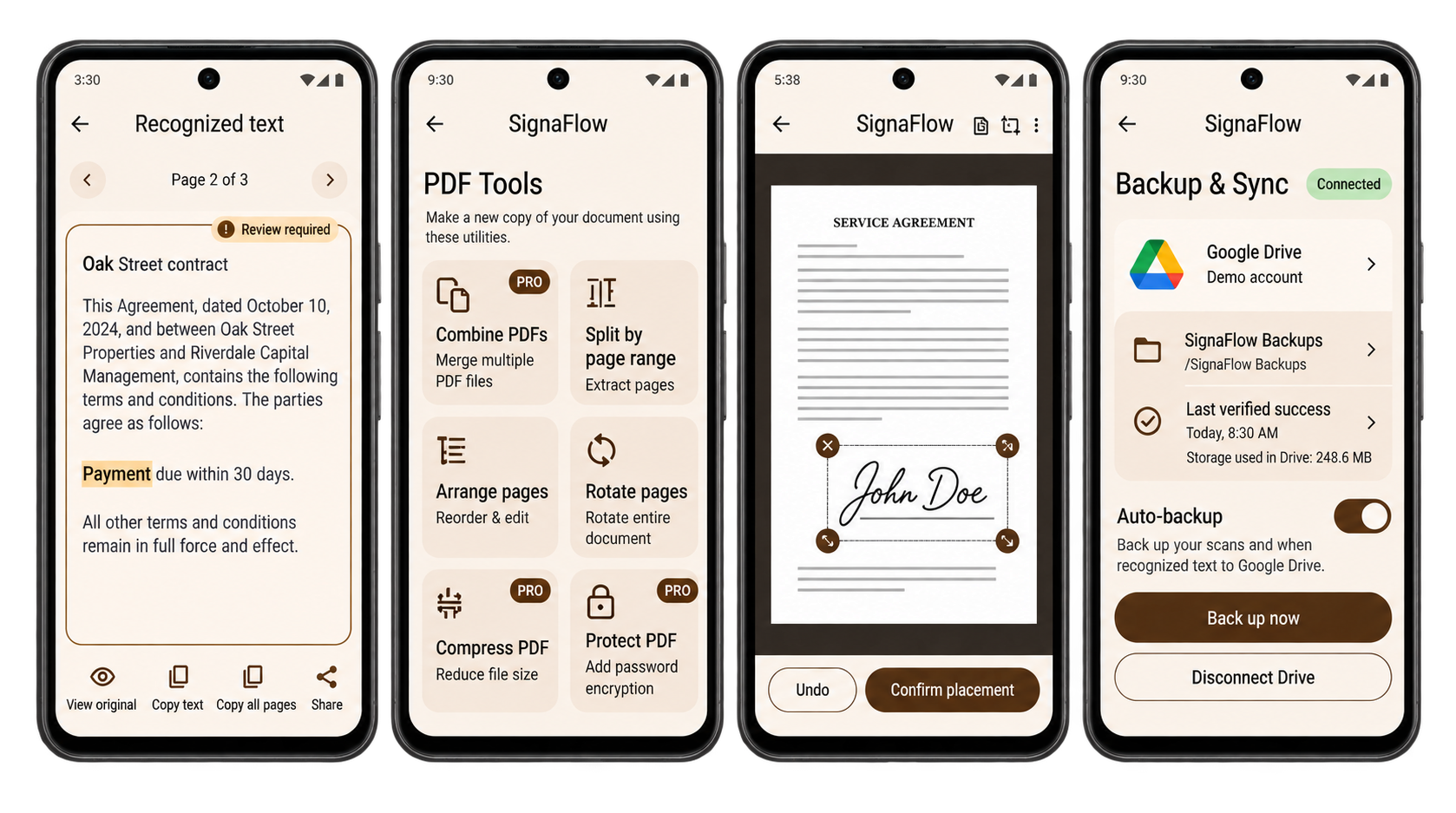
Recognize printed text on your phone, review the result and find the phrase you need. Your original remains the reference.
This agreement brings the details into focus.
The project will be completed according to the agreed schedule.
Payment due within 30 days.
Please review the details against the original page.
SignaFlow design preview · Sample content
03 / WORK WITH PDFS
Combine documents, extract selected pages, arrange their order, compress an output or protect it with a password.
Make a new copy with the tools you need.
SignaFlow design preview · Sample content
04 / SIGN & STAMP
Planned signature and stamp tools let you add a visual signature, date or custom text to a separate PDF copy.
Signature and stamp features are planned.
PROJECT AGREEMENT · SAMPLE DOCUMENT
This agreement brings the details into focus. A clear copy, ready whenever you need it.
Keep your notes, receipts and important pages together. Find the right words without sorting through the whole stack.
Payment due within 30 days.
SignaFlow design preview · Sample content
05 / BACK UP & RESTORE
Back up to your own Google Drive or save a local backup. Review and validate a snapshot before restoring it.
SignaFlow design preview · Sample content
MORE THAN A SCANNER
Text you can review. PDF tools in one place. Optional backups. Planned visual signing.
App design previews based on the SignaFlow boards. Sample content. Final release screens may differ.
EVERYDAY DETAILS, CONSIDERED
CLOSE TO YOUR DOCUMENTS
Your working library stays on your device. Core scanning and text recognition are designed to work offline. Connect your own Drive when you choose to keep an extra copy.
Read the privacy details ↗Documents, drafts, folders and favorites—all part of your Android workflow.
Choose your own Google Drive account or save a local backup file.
Review edits and export a new copy. Important source files remain your reference.
FOR THE PAPER IN YOUR LIFE
Keep client paperwork, meeting notes and project PDFs together.
Turn loose receipts and useful reference pages into an organized library.
Bring printed notes and everyday documents into a searchable collection.
START SMALL. KEEP GOING.
Start with five saved new pages a month. Choose a planned Pro option when your paper pile grows.
Compare plans and trial details ↗Planned US launch prices. Google Play will show final local prices and purchase conditions. No checkout on this website.
Scanning, page cleanup, text recognition and document viewing are designed to run on your Android device. Google Drive backups, account authorization and purchase verification need an internet connection.
The planned free plan includes five successfully saved new pages per calendar month. Your existing documents remain available to view, edit, search and export when you reach the allowance. Final plan availability will be shown in the app at launch.
Your working library is stored on your phone. Google Drive backup is optional and uses your own Google account. SignaFlow does not operate a separate document cloud. Exported copies are stored wherever you choose to save or share them.
SignaFlow requests access to Drive files used with this app, rather than general access to your entire Drive. You can disconnect the backup account in the app. Disconnecting leaves your local library and existing Drive backups in place.
LESS PAPER. MORE POSSIBILITY.
SignaFlow is getting ready for Android.
Have a question before launch?